

AXIOSTRA · THE APP

AxiOstra,
wherever you learn.

Read courses and join forum discussions on your computer or phone. Public sample lessons are available offline, and your learning records sync through your account.

Find your version
macOS · Windows · Android
AxiOstra
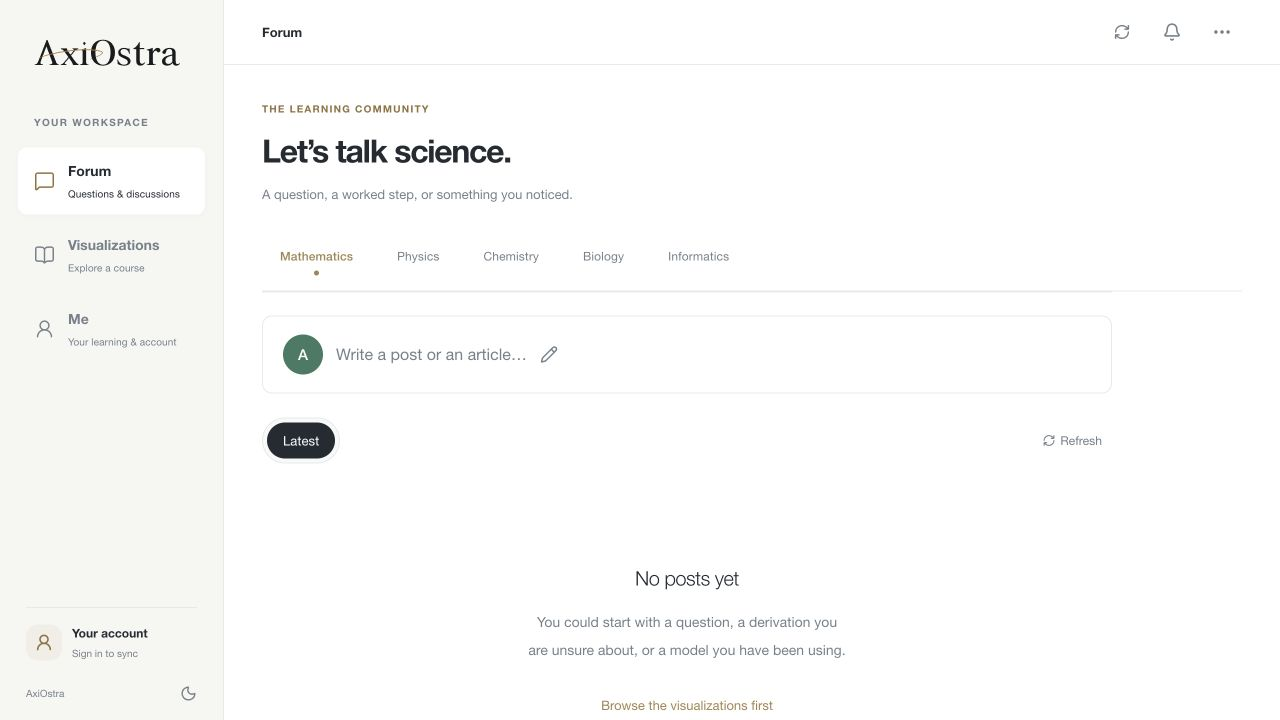
The AxiOstra desktop app, showing Forum and the Forum, Visualizations and Me sidebar
The forum in the desktop appActual app
01 / CHOOSE YOUR CLIENT

Choose your client

native preview

macOS

Apple Silicon

M-series chips

v0.3.0DMG203 MB
Download

macOS

Intel

Intel processors

v0.3.0DMG204 MB
Download

Windows

64-bit · x64

Windows 10 / 11

v0.2.0ZIP67 MB
Download

Android

Native preview

Phones & tablets

v0.3.0APK198 MB
Download

iPhone / iPad

iOS 15+ · unsigned

Unsigned IPA

v0.2.0IPA1 MB
Download

macOS is not notarized; the iOS IPA is unsigned and needs Sideloadly/AltStore; the Windows ZIP and Android APK are preview builds, not store-signed.

01B / PHONE & TABLET

How to install on iPhone / iPad

There is no Apple developer account, so this native IPA is unsigned and cannot be installed by tapping it. Use a Mac or Windows computer with Sideloadly (or AltStore) and your free Apple ID to sign it, then install. A free signature lasts seven days; sign again when it expires. This is a native SwiftUI client, not the whole website in a web view.

  1. Download the IPA (a computer browser works too).
  2. Install Sideloadly on the computer and connect the iPhone by cable.
  3. Drop the IPA into Sideloadly, enter your free Apple ID and press Start.
  4. On the phone open Settings → General → VPN & Device Management and trust your developer certificate.
  5. Return to the Home Screen and open the AxiOstra icon.

Works on iOS 15 and later, including iOS 18. This is a native client and still needs a connection; it does not include offline courses.

02 / KEEP EXPLORING

One account.
Keep your place.

Explore courses in your browser
01Public courses, available offline
The app includes 28 public courses: sample lessons picked from each subject, readable offline. The full library offers 91 interactive courses; connect and sign in to explore and sync them all.
02Learning records sync across devices
Sign in to sync recent courses, bookmarks and completion marks. Forum and account features need an internet connection.
03Course content updates separately
Compatible 0.4 clients check for public course updates in the background at startup. A complete download is used on the next launch, without interrupting an open lesson. New app features still require an app update; installers are not applied automatically.